schedule c
Filing IRS Form 720 Schedule C can feel confusing because it is not just “another schedule.” Schedule C is where many businesses report claims and credits related to Federal Excise Tax (often fuel-related) that can reduce what you owe on Form 720.
With eFileExcise720, you can efile schedule c as part of your quarterly excise return in a guided, online workflow. No software downloads, no paper mailing, and you get IRS submission confirmation when your return is accepted.

Efile Schedule C (Form 720) online with eFileExcise720
If your business needs to report excise tax credits or claims, Schedule C Form 720 online filing is often the simplest way to stay compliant and reduce errors.
Using eFileExcise720, you can:
- File Schedule C online as part of your efile form 720 submission
- Report eligible Claims Schedule C amounts in the right place, tied to your Form 720 activity
- File from anywhere using a secure browser-based account
- Get help from personalized customer support if you get stuck
eFileExcise720 is an IRS-authorized e-filing provider for Form 720, designed to make quarterly excise filing faster and easier.
What is IRS Form 720 Schedule C?
IRS Form 720 Schedule C is the section used to report certain claims (credits) against excise taxes reported on Form 720. In plain terms, Schedule C is where you may be able to claim credits that reduce your total excise tax due, when you meet the IRS requirements.
Schedule C is commonly associated with fuel-related credits, but eligibility depends on the specific IRS rules for the claim type.
For official guidance, refer to the IRS instructions for Form 720 and Schedule C: IRS Form 720 instructions.
Who should file Schedule C with Form 720?
You may need to include Schedule C when you are filing form 720 and you have qualifying excise tax credits/claims to report for the quarter.
Common situations include businesses that deal with:
- Fuel transactions where a credit may apply based on use, sale, or other conditions defined by the IRS
- Activities where excise tax was paid and a credit is allowable under the rules for the specific claim category
Because excise tax rules can be very specific, many filers confirm claim eligibility with a tax professional or by reviewing IRS instructions.
Schedule C vs Form 8849: which one do you need?
This is one of the most common points of confusion.
- Schedule C (on Form 720) is generally used to claim certain credits on your quarterly return.
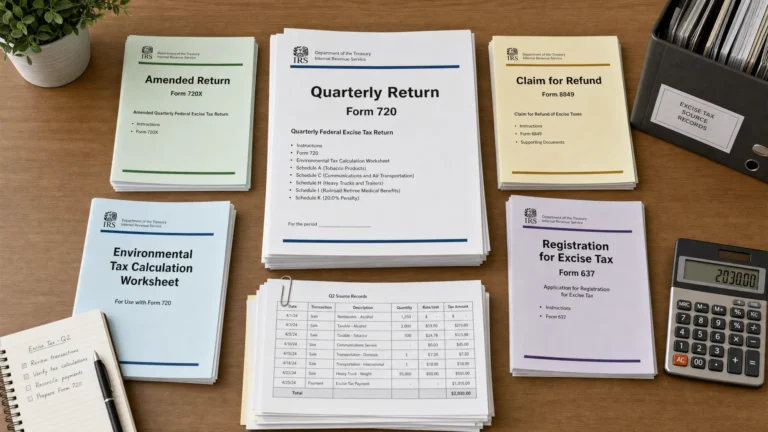
- The 8849 form (Form 8849, Claim for Refund of Excise Taxes) is generally used to request refunds for certain excise taxes, often with supporting schedules depending on the claim type.
eFileExcise720 supports Form 8849 claims in addition to Form 720 filing, which helps if your situation requires a refund claim rather than a credit on the quarterly return.
Learn more from the IRS: About Form 8849.
Why e-file Schedule C instead of paper filing?
Paper filing can work, but it often creates avoidable friction, especially when you are handling multiple tax categories, claim codes, and supporting details.
When you efile schedule c with eFileExcise720, you benefit from:
Faster submission and clearer proof of filing
E-filing provides an electronic submission trail and IRS acceptance confirmation (once accepted). That is especially useful for compliance records.
Fewer avoidable errors
Online workflows help reduce common issues like missing fields, incorrect totals, or incomplete sections that can delay processing.
One place for Form 720 and related excise filings
If you file multiple excise items, it helps to manage them in one portal rather than tracking paper copies and mailing receipts.
What you can do inside eFileExcise720
This service page is focused on Schedule C, but many filers need more than just one schedule. eFileExcise720 supports:
- IRS-authorized e-filing for Form 720
- Filing IRS Form 720 Schedule C during your quarterly return submission
- Form 720 amendments (720-X) when corrections are needed
- Form 8849 claims support for refund-related situations
- Industry guidance across common excise categories, including support for PCORI Form reporting within Form 720 when applicable
If you are filing the PCORI fee, it is reported on Form 720 (not on Schedule C). For official details, see: About the PCORI fee.
How to file Schedule C online (simple process)
Filing Schedule C online is usually straightforward when you have your quarter’s records ready.
Step 1: Create your free account
Start with free account creation at eFileExcise720. No software download is required.
Step 2: Select Form 720 and add Schedule C as needed
Choose the quarter you are filing and follow the guided steps. If your return includes claims, you will complete the Claims Schedule C section as part of the workflow.
Step 3: Review, transmit, and keep your confirmation
Confirm totals, submit, and save your filing records along with supporting documentation.

What information should you gather before you efile Schedule C?
Having clean records ready helps you file faster and reduces back-and-forth.
Typically, filers prepare:
- Business information used on Form 720 (name, EIN, address)
- Quarter and tax period details
- Transaction summaries and documentation that support the claim type (for example, invoices, fuel statements, usage logs)
- Prior-quarter information if you are correcting or adjusting items
If you are unsure what documentation applies to your claim category, the IRS instructions are the best source, and a tax professional can help confirm eligibility.
When you might also need Form 720-X
If you already filed and later discover an error, you may need an amendment rather than a new original return. In that case, Form 720-X is commonly used to correct previously filed Form 720 amounts.
eFileExcise720 supports Form 720 amendments (720-X), which can be helpful when changes impact taxes, credits, or claim reporting.
Secure, supported, and built for excise tax filing
Excise returns often include sensitive business data. eFileExcise720 is designed to keep filing practical and secure:
- Secure data protection to help safeguard your information
- Simple dashboard navigation to manage filings
- Personalized customer support if you need help completing Schedule C or related sections
Start your Schedule C (Form 720) online filing
If you are ready to file, you can complete your quarterly return and efile schedule c in the same online flow.
Use eFileExcise720 to efile form 720, add IRS Form 720 Schedule C when needed, and keep your filing records organized.
Get started here: File Form 720 online with eFileExcise720.
FAQs: efile Schedule C and Claims Schedule C
What is Schedule C on Form 720 used for? Schedule C is used to report certain claims and credits that may reduce the Federal Excise Tax you report on Form 720, when allowed by IRS rules.
Can I file Schedule C online? Yes. You can file Schedule C online by e-filing Form 720 through an IRS-authorized provider such as eFileExcise720, which supports Schedule C Form 720 online completion.
Is Schedule C the same as the 8849 form? No. Schedule C is a part of Form 720 for reporting certain credits on your quarterly return. The 8849 form (Form 8849) is generally used to claim refunds of certain excise taxes. Your situation determines which is appropriate.
Do I need Schedule C for the PCORI Form? Usually not. The PCORI fee is reported on Form 720 itself (commonly in Part II), not on Schedule C. Schedule C is for specific excise tax claims/credits.
What if I already filed Form 720 and forgot to include a claim? You may need to amend your filing using Form 720-X. The right approach depends on what needs to be corrected and the IRS rules for the claim type.
Is eFileExcise720 IRS-authorized for e-filing Form 720? Yes. eFileExcise720 is an IRS-authorized e-filing platform for Form 720 and supports related excise filings, including Schedule C completion as part of the return.