
How to Amend Form 8849
Amending a refund claim is one of those tasks that feels simple until you are staring at an IRS notice, a mismatched gallon log, or a quarter that does not tie back to your Form 720 records. The good news is that correcting a tax form 8849 issue is usually very doable if you approach it like an audit file: identify the exact error, rebuild the calculation, then resubmit with clean documentation.
This guide explains How to Amend Form 8849 in a practical, compliant way, including when you should not use Form 8849 at all (a common and costly mistake).
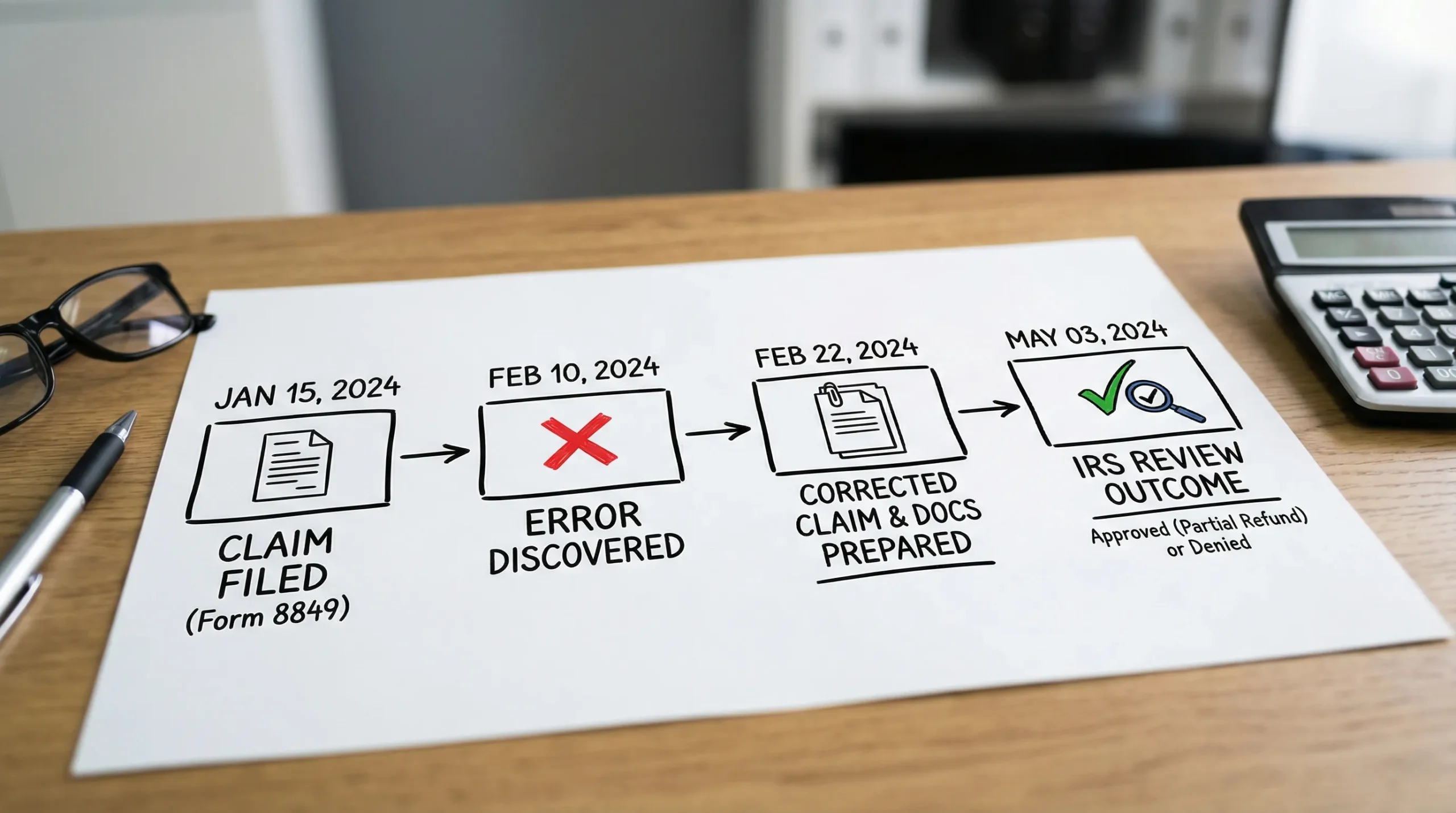
What “amending Form 8849” really means (and why it is confusing)
Unlike income tax returns, the IRS does not provide a universally used “Form 8849-X.” In practice, “amending” the 8849 form generally means you file a corrected Form 8849 for the same claim type and period, and you clearly explain what changed.
That said, not every excise correction belongs on Form 8849.
- Form 8849 is typically used to claim refunds of certain excise taxes (often fuel-related) using the appropriate schedule.
- Form 720-X is used to amend a previously filed Form 720 (Quarterly Federal Excise Tax Return) to make adjustments, including refund or credit requests tied to Form 720 reporting.
If you are unsure which tool applies, start with the IRS landing pages for Form 8849 and Form 720-X, then confirm in the official instructions for your schedule.
The decision point: Should you correct Form 8849 or amend Form 720?
This is the strategic fork in the road. Choosing wrong can lead to processing delays, disallowance, or a time-consuming correspondence loop.
| Situation | Best path in many cases | Why it matters |
|---|---|---|
| You claimed the wrong gallons/units on a fuel refund schedule on Form 8849 | File a corrected form 8849 with an explanation | You are correcting the claim calculation itself |
| You overreported or underreported tax on Form 720 (wrong IRS No., wrong rate base, wrong quarter) | Use Form 720-X | The error is in the return, not just the refund claim |
| You are dealing with PCORI Fee corrections | Usually Form 720-X, not Form 8849 | PCORI is reported on Form 720 (second quarter filing cycle for many plan sponsors) |
| You received an IRS letter requesting clarification on a Form 8849 claim | Respond to the letter, and if needed file a corrected Form 8849 | The IRS may be waiting on documentation, not a new form |
Practical takeaway: If the original tax was reported on Form 720 and your correction changes that reported liability, treat it as a Form 720-X problem. If your Form 720 is fine and your refund math or eligibility documentation was wrong, treat it as a Form 8849 correction.
Before you amend: protect the claim with timing and documentation
1) Confirm you are still within the refund claim window
Most federal tax refunds are subject to strict time limits. For many excise refund situations, the general limitation rule is often described as the later of 3 years from when the return was filed, or 2 years from when the tax was paid (see IRC Section 6511, commonly cited via resources like Cornell Law’s IRC §6511 text). Your specific Form 8849 schedule may have additional requirements.
If you are close to a deadline, correcting quickly matters more than perfect formatting. File the corrected claim with a clear explanation and follow up with any supplemental documentation if the instructions allow it.
2) Rebuild your “support file” like an auditor would
Amendments get extra scrutiny because they are, by definition, exceptions. Build a clean packet that explains the story in one pass.
Include:
- A copy of the originally filed Form 8849 (and schedule) that contained the error
- Your corrected calculation workbook (even if the IRS does not require the spreadsheet, you need it to defend the math)
- Source documents that tie to the schedule (for fuel claims, this could be invoices, disbursement summaries, usage logs, export documentation)
- Any IRS correspondence on the claim
How to Amend Form 8849 (step-by-step)
Step 1: Identify the exact error type
Most corrections fall into one of four buckets:
- Eligibility error: the use was not eligible for the credit/refund as filed
- Volume/base error: gallons, units, or taxable base were wrong
- Rate/mapping error: correct activity, wrong IRS No. or rate line
- Entity/period error: wrong EIN, name control, quarter, or claim period
Tip: If you are correcting multiple error types, treat each as its own mini-workstream and reconcile them at the end. This prevents “fixing” one number while re-breaking another.
Step 2: Decide whether your corrected claim should increase or decrease the refund
From a risk perspective, the IRS tends to look harder at increases. Decreases are still important because they can reduce the chance of future issues (including offsets, correspondence, or repayment requests).
Write down:
- Original refund claimed
- Correct refund amount
- Net change (increase or decrease)
Step 3: Prepare a corrected Form 8849 and the right schedule
When you complete the corrected form 8849, do the following:
- Use the same schedule type as the original claim (unless your correction is that you used the wrong schedule)
- Enter the corrected amounts as they should have been filed
- Attach a brief statement explaining what changed and why
Your statement should be specific, not generic. A strong explanation typically includes:
- The claim period
- What was wrong in the original filing
- The corrected figures
- The reason for the change (for example, “vendor invoice posted to the wrong location, causing 2,140 gallons to be double-counted”)
Step 4: Reconcile to Form 720 when applicable
Even when you are not filing Form 720-X, you should still reconcile because it helps you catch structural issues.
A simple reconciliation check:
- Does your Form 8849 claim period match the operational period and supporting invoices?
- If your claim relates to taxes reported on Form 720, do your internal totals line up with the quarter you filed?
This is where many businesses discover the real root cause is upstream, like an excise mapping error in billing, a fleet card coding issue, or a chart-of-accounts misclassification.
Step 5: File and track like a project, not a form
Corrections are operational work. Treat them like a trackable deliverable:
- Keep a dated PDF copy of the corrected filing
- Save your support file in a single folder with a clear naming convention
- Track status and any IRS responses
If you want to file online (instead of paper processes that can be slower to confirm and harder to track), an IRS-authorized portal can reduce preventable errors through guided entry and validation. E Eile Excise 720 (eFileExcise720) supports Form 8849 filing and related excise workflows, with secure handling and customer support.
Lessons learned from real-world correction scenarios (what sophisticated filers do differently)
They prevent “amendment churn” with a pre-filing variance check
A simple but high-impact control is a variance threshold: if a location’s gallons, ticket counts, or refund amount swings beyond a set percentage from the prior period, the claim pauses until someone signs off.
Here is a lightweight control table many finance teams adopt:
| Control | What it catches | Why it reduces rework |
|---|---|---|
| Period-over-period variance review | Double-counting, missing invoices, mis-posted fuel | Flags issues before submission |
| Vendor-to-ledger tie-out | Mapping errors, missing statements | Ensures completeness |
| Eligibility checklist by use case | Ineligible usage mixed into claim | Prevents disallowance |
They separate PCORI work from fuel refund work
A surprisingly common mistake is trying to push PCORI Fee corrections through the wrong channel. PCORI is typically reported and corrected through the Form 720 ecosystem, so a clean separation of workflows helps:
- One calendar and dataset for PCORI covered lives and filing logic
- Another calendar and dataset for fuel and other excise refund claims
This reduces the risk of “blended documentation,” where a team attaches the wrong support to the wrong form.
They treat amendments as a signal of upstream process issues
If you have to correct the same claim type repeatedly, the problem is rarely the form. It is usually:
- A data pipeline issue (invoice timing, late feeds)
- A coding issue (wrong tax category mapping)
- A governance issue (no owner, no review step)
Fixing the upstream issue often produces better ROI than perfecting the amendment process.

Common amendment questions (answered without the fluff)
Can I file a corrected Form 8849 if the IRS has not processed my original claim yet?
Often, yes. Many filers submit a corrected claim with an explanation. If you have an IRS letter open, follow its instructions first and reference that correspondence in your response.
If my correction changes Form 720 amounts, can I still “just fix Form 8849”?
In many cases, no. If the underlying quarterly excise tax return is wrong, Form 720-X is typically the more appropriate correction path.
What if the correction reduces my refund?
It is still worth correcting. It can reduce follow-on issues like offsets, repayment requests, and future claim scrutiny.
A final checklist before you send the corrected claim
- Correct schedule selected and completed
- Claim period clearly stated
- Explanation statement attached and specific
- Documentation supports every material number
- Reconciliation performed to ensure the claim is internally consistent
If you want a smoother submission experience, consider filing through an IRS-authorized platform like E Eile Excise 720 (eFileExcise720) to keep the workflow centralized, secure, and easier to track over time.