Service page ( fuel tax) & blog content
Fuel Excise Tax filing made simple
Complying with federal fuel taxes can feel complex when you juggle rates forms and deadlines. eFileExcise720 is an IRS authorized e filing portal that makes Form 720 preparation review and submission fast secure and accurate. Whether you file for gasoline diesel kerosene biodiesel aviation fuel or retail fuel sales our guided workflow keeps you on track and reduces errors so you can focus on running your operation.

Understand the excise tax on fuel
Excise taxes apply to specific goods and services that the federal government taxes at manufacture sale or use. The excise tax on fuel covers gasoline diesel kerosene alternative fuels and certain fuel mixtures. Rates differ by product and activity so accuracy begins with correct product coding unit measures and taxable events.
Our platform supports all Form 720 categories that relate to motor fuels aviation fuels environmental taxes and floor stocks. You see only the lines you need with context tips examples and math checks built in. That helps you capture the right rates credit eligible uses and liability periods with confidence.
Common taxable events include removals from terminals sales to unregistered parties and blending that creates a taxable mixture. We map these events to the correct Form 720 lines so that each transaction flows to the right liability period. If your business handles both taxable and exempt movements you can separate volumes with clear audit trails and reports.
Who must file Form 720 for federal fuel taxes
Producers importers blenders registered terminal operators pipeline carriers and retailers may have obligations depending on how they handle fuel. If you collect federal fuel taxes from customers or incur liability when you remove product from a terminal rack you likely need to file. Carriers with dyed diesel or exempt use must also track proof to support their position.
eFileExcise720 guides each role through the correct schedules and provides validation based on common industry patterns. Whether you have a single location or a national footprint your account can manage multiple EINs users and returns in one secure place.
If you operate a small fleet that buys at retail you may still need to track credits for off highway use or reefer units. If you import product through a customs entry or a foreign trade zone you may have liability when product enters the commerce of the United States. Our guidance explains registration benefits and when registration is required.
How eFileExcise720 streamlines your filing
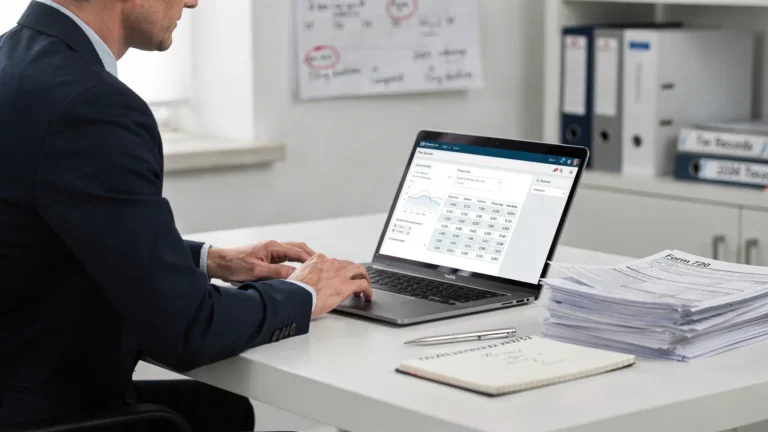
Create a free account no software to install. Our simple dashboard walks you through return setup line selection and review. Real time calculations show liability as you enter volumes rates and credits. Built in rules highlight missing IDs schedule mismatches and date gaps so you can file with confidence.
- IRS authorized e filing for Form 720 720 X and 8849 claims
- Personalized customer support by email chat and phone
- Secure data protection with encryption and role based access
- Support for all Form 720 fuel schedules and categories
You can start a return import volumes from a spreadsheet and let the system compute tax by rate and unit. Real time error summaries flag missing registrations for blenders or position holders before you transmit. A downloadable draft return lets you review with your team then you can submit securely to the IRS and receive a time stamped acknowledgment.
Payments deposits schedules and timing
Most filers submit Form 720 quarterly due the last day of the month after each quarter. If your net liability for the quarter is less than 2500 you can pay with the return. Larger liabilities usually require semimonthly deposits through EFTPS with due dates based on activity periods. Our workflow calculates liabilities by period and prepares your payment options.
You can schedule payments sign in to EFTPS or choose to mail a payment voucher when allowed. The system explains rules for communications and air transportation taxes if they apply to your business. It also tracks the special filing for the Patient Centered Outcomes Research Trust Fund fee on self insured health plans commonly called the PCORI fee.
Claim the fuel tax credit when eligible for nontaxable uses such as farming off highway business use or export. The platform guides you to Form 8849 schedules when a claim is better than a return credit and helps you attach required statements.
For seasonal businesses you can file a zero return when you have no liability which keeps your account in good standing. For recurring liability the semimonthly schedule follows the first through the fifteenth and the sixteenth through the end of the month deposit periods. We provide reminders for each due date so you avoid penalties and interest.
Corrections refunds and records
Need to fix a prior quarter. File an amendment on Form 720 X to correct quantities rates or categories. If you paid too much you may claim a refund on Form 8849 subject to eligibility rules. eFileExcise720 keeps a complete archive of filed returns payment proofs and acknowledgments so audits go faster with less stress.
You can export summaries to share with finance operations and compliance teams. Role based permissions let you invite colleagues or advisors without exposing sensitive data they do not need. Detailed logs show who changed what and when so your internal controls stay strong.
With Fuel Excise Tax responsibilities spread across purchasing logistics and accounting you benefit from a single source of truth that updates as laws change.
Ready to file. Start your return with eFileExcise720 today to save time reduce errors and stay compliant with Fuel Excise Tax requirements. Create your free account to experience fast IRS authorized e filing smart validations and dedicated help from people who know your industry. Get started now at eFileExcise720. Your compliance is easier when filing takes minutes not hours each quarter with us.
How to pay excise tax online step by step
Paying federal excise taxes online saves time reduces errors and gives you instant proof. Whether you file quarterly Form 720 or the annual PCORI fee for self insured health plans the right steps help you avoid penalties and interest. This guide shows businesses and individuals how to pay excise tax online with clear checklists smart comparisons and practical tips.
More taxpayers use digital channels each year. The IRS requires most federal tax deposits to flow through EFTPS and offers electronic funds withdrawal when you e file eligible returns. Faster acknowledgments fewer mailing risks and searchable records make a strong case for IRS authorized e filing with secure online payment.

What you need before you pay
Gather a few essentials that will keep your session smooth and secure.
- Employer Identification Number and business legal name
- EFTPS enrollment with PIN and internet password
- Bank routing and account numbers for payments
- Prior quarter Form 720 data or liability summary
- Contact info for the person who will authorize payment
Step by step filing and payment flow
Follow these steps to file Form 720 and pay online with confidence.
- Decide where the payment will occur. If net quarterly liability is less than 2500 you may pay with the return. If liability is higher you usually deposit semimonthly through EFTPS.
- Create or sign in to your eFileExcise720 account. First time users can create a free profile then add business details users and roles.
- Complete business identity and contact sections. Confirm your EIN legal name mailing address and return quarter.
- Enter fuel volumes rates and credits on the schedules that apply. The summary view shows total liability by schedule and by period.
- Validate the return. Resolve prompts for missing registrations unit types math differences or wrong quarters before you continue.
- Choose how to pay. Select EFTPS and schedule deposits or choose electronic funds withdrawal to pay with the return when allowed.
- Transmit the return through our IRS authorized e filing system. You will receive a receipt and an IRS acknowledgment with a date and time stamp.
- Save confirmations bank proofs and a PDF copy of your return. Set calendar reminders for deposits next quarter.
Online payment options compared
Choose the method that matches your timing and liability. Here is a quick comparison.
| Method | Where you pay | Speed | Typical cost | Best for |
|---|---|---|---|---|
| EFTPS deposit | EFTPS | Same day or next day depending on cutoff | $0 | Ongoing semimonthly deposits and larger liabilities |
| Electronic Funds Withdrawal with return | Within eFileExcise720 filing flow | On the return due date | $0 | Net liability under $2,500 paid with the return |
| Same day wire | Your bank wire service | Same day | Bank fee varies | Last minute payments when EFTPS cutoff passed |
PCORI fee and other special cases
If you file only for the PCORI fee you use Form 720 once a year with a due date that usually falls on July 31. The dollar amount per covered life changes each year so confirm the current rate on the IRS page before you pay. Payment can be made by EFTPS or by electronic funds withdrawal when you e file the return.
Common errors and how to avoid them
- Wrong quarter or period. Confirm dates for each return and deposit period
- Misapplied rates. Use current IRS tables for each fuel type and activity
- Missing registration numbers for blenders importers or position holders
- Paying by check when EFTPS is required for your deposit schedule
- Using the wrong tax period for the PCORI fee plan year end
- Skipping the final review which can miss small math or ID errors
Real world scenarios and lessons learned
A small construction firm had net quarterly liability under 2500 so it paid with the return by electronic funds withdrawal. The IRS acknowledgment and bank confirmation arrived the same day which simplified cash planning.
A fuel distributor filed Form 720 with multiple schedules and set EFTPS deposits on the semimonthly timetable. Calendar reminders and saved receipts prevented missed cutoffs and kept penalties at zero.
An employer filing only the PCORI fee verified the current rate on the IRS site then paid with the return. Keeping a separate folder for plan documents headcounts and receipts made next year easier.
Why use eFileExcise720 for online payment
We are an IRS authorized e filing provider for Form 720 with a fast secure platform. You can create a no cost account complete schedules validate entries and transmit in minutes. Personalized customer support helps with setup common questions and error resolution.
- No software to install and a simple dashboard
- Supports all Form 720 categories including fuel schedules
- Secure data protection with encryption and access controls
- Form 720 X amendments and Form 8849 claims support
Some customers search for E Eile Excise 720 when they look for our service. The correct name is eFileExcise720 and you can reach us anytime to start your filing.
Final checklist before you pay
- Confirm quarter dates and liability by schedule
- Verify EFTPS enrollment and cutoff times
- Double check bank account and routing numbers
- Review Form 720 totals and any credits
- Save a PDF of the return and payment proof
- Set reminders for the next deposit period
Start filing and pay online today
Now you know how to pay excise tax online from start to finish. Create your account at eFileExcise720 begin a Form 720 return validate your schedules then choose EFTPS or electronic funds withdrawal to complete payment. Keep your receipts set reminders and enjoy faster accurate compliance every quarter.
If you need help our support team answers questions about EFTPS enrollment return setup and payment options in plain language. You can chat email or call for guidance that keeps you moving. When you pay excise tax online with confidence you protect cash flow and reduce compliance time across your team every single month.