1. Zero Liability Filing , 2. Late Filing Help
File Form 720 Zero Liability Return Online
Even if you owe $0 in federal excise tax for the quarter, you may still need to file IRS Form 720. eFileExcise720 helps you submit a zero liability return online through an IRS-authorized e-file process, so you can stay compliant without paper forms or guesswork.
- IRS-authorized e-filing for Form 720
- Secure online submission with electronic IRS acknowledgment
- Guided filing flow built for quarterly compliance
Do You Need to File Form 720 If You Owe No Tax?
In some situations, yes. A zero liability Form 720 (sometimes called a “zero return”) generally applies when you are expected to file Form 720 for a quarter, but your tax calculation for that period results in no tax due.
Form 720 is a quarterly return. If your business is required to file, the IRS typically expects a return for each applicable quarter, even if the amount due is zero for a given period. The exact requirement depends on your facts and the specific excise tax category involved.
Common situations where a zero-liability filing may come up include:
- You filed Form 720 in prior quarters and had no taxable activity this quarter.
- Your business had a temporary pause in taxable sales or transactions.
- You are unsure whether a specific excise tax applies, but believe the calculated amount is zero.
If you’re uncertain, consult the official IRS guidance or your tax professional. You can also review the IRS Form 720 instructions for filing rules and definitions in the IRS Form 720 resources.
What Is a Zero Liability Form 720?
A zero liability Form 720 is a quarterly federal excise tax return where the taxable amounts and resulting tax due for the quarter are $0.
Businesses that most commonly need a zero return are those that:
- Have a prior Form 720 filing history
- Operate in industries that can have variable excise activity (some quarters taxable, some quarters not)
- Need to keep quarterly filing status consistent to avoid compliance notices
Even when no payment is due, skipping a required return can create problems, such as IRS notices asking for a missing filing, delays when you later need to correct a quarter, or complications if the IRS determines some tax was owed after all.
Why File a Zero Liability Return Online with eFileExcise720
eFileExcise720 is built specifically to help taxpayers file Form 720 online through an IRS-authorized e-file process.
With eFileExcise720, you can:
- E-file Form 720 through an IRS-authorized provider
- Complete a guided online process (no software download needed)
- Submit through secure data handling
- Receive an electronic IRS acknowledgment after submission
- File for the appropriate quarterly period and keep your compliance history organized
- Access personalized customer support if you get stuck during filing
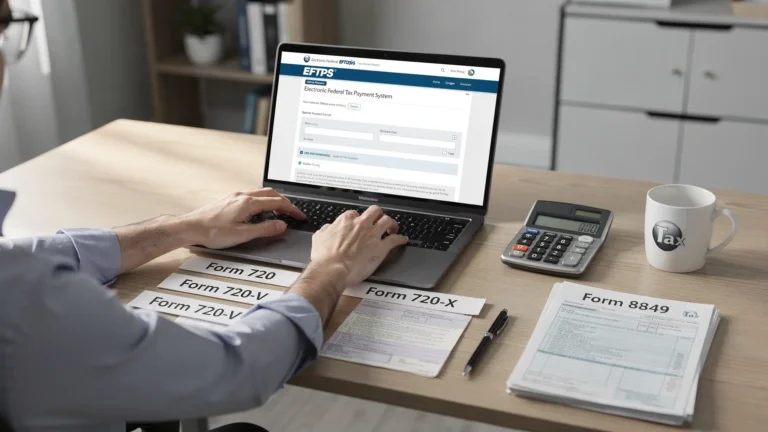
If you also need to correct a previously filed return or handle a related claim, eFileExcise720 supports Form 720-X amendments and Form 8849 claims, when those are the right forms for your situation.

Simple Filing Process
Filing a zero liability Form 720 online is straightforward:
- Create an account or log in (account creation is free)
- Select the quarter you are filing
- Indicate zero liability for the applicable categories (as appropriate)
- Review for accuracy before submitting
- Submit electronically and keep your confirmation for your records
If you’re preparing to file, the site’s Form 720 checklist resource can help you confirm what information you may need, even when your amounts are zero: Form 720 e-filing checklist.
What Happens If You Don’t File?
If you were required to file Form 720 and you don’t submit it, the IRS may treat the return as missing and contact you. Also, if the IRS later determines any tax was due for that quarter, penalties and interest may apply.
If you’re worried about missed deadlines, review practical guidance here: Form 720 late filing penalties.
FAQs
Do I need to file if I stopped business activity? If your business no longer has taxable activity, you may still need to file for the quarter depending on your filing history and the specific excise tax rules that applied to you. When in doubt, review IRS guidance or consult a tax professional.
Can I file zero liability for multiple quarters? In general, Form 720 is filed by quarter. If you need to report zero liability across more than one quarter, you typically file a separate return for each required quarter.
Is zero liability filing free? eFileExcise720 offers free account creation. Filing fees, if applicable, can depend on what you submit. Check the site’s pricing details during the filing flow.
Will I receive IRS confirmation? Yes. After you e-file, you should receive an electronic IRS acknowledgment confirming the submission was accepted (or indicating if the return was rejected and needs correction).
File to Stay Compliant (Even When You Owe $0)
If you believe you’re required to file Form 720 for the quarter, submitting a zero liability return can help you stay current and reduce compliance headaches.
File Zero Liability Return Now
Form 720 Late Filing Help – File Past Due Excise Tax Returns
Missed the Form 720 Deadline? File Now Online
If you missed a quarterly Form 720 due date, you’re not alone. The best next step is usually to file as soon as possible to limit potential penalties and interest and to get back into compliance.
eFileExcise720 is an IRS-authorized e-file provider that helps you file Form 720 online through a guided, secure process.
- IRS-authorized e-file for Form 720
- Fast online submission without printing or mailing
- Secure filing with electronic IRS acknowledgment
What Happens If You Miss the Deadline?
If Form 720 is filed late, the IRS may assess penalties and interest, depending on your circumstances and whether tax was owed. In general terms:
- Late filing can trigger a penalty if tax is due.
- Late payment can trigger separate penalties and interest.
- Waiting longer can increase the total cost if an amount was owed.
Even if you plan to pay your taxes separately (for example, using a federal payment system), filing the return promptly can be an important step in demonstrating compliance.
For a deeper explanation with examples and practical next steps, see: Form 720 late filing penalties.
Can You Still File Form 720 Late?
Yes. If you missed a deadline, you can still file Form 720 after the due date.
Form 720 is structured by quarters, and the IRS expects each quarter to be reported for the periods that apply to your business.
It’s also important to distinguish between:
- Late filing: You did not file that quarter’s return by the due date.
- Amending: You filed, but later discovered something was wrong and need to correct it.
If you already filed the quarter and need to make changes, you generally use Form 720-X rather than submitting a duplicate return.
How eFileExcise720 Helps with Late Filing
When you need to catch up, the goal is to file accurately and get proof of submission.
eFileExcise720 supports late filers by providing:
- A guided online filing experience for Form 720
- Secure electronic submission (no software download required)
- Electronic IRS acknowledgment so you have confirmation for your records
- Customer support to help you navigate the filing steps
If you need to pay an amount due, the IRS typically offers electronic payment options. Many businesses use EFTPS for federal tax payments. You can review official information at the IRS EFTPS page.
Simple Late Filing Process
To file a past-due Form 720 online:
- Log in (or create your account)
- Select the quarter you need to file
- Enter your excise tax details for that quarter (including any required schedules)
- Review carefully to reduce the risk of errors or IRS rejection
- Submit electronically and save your acknowledgment
If you want to confirm quarterly deadlines so you can plan upcoming filings, reference: Form 720 due dates.

When Should You Amend Instead?
Use the right path based on what happened:
- Late filing is for when you did not file the quarter at all.
- Amendment (Form 720-X) is for when you already filed that quarter and need to correct amounts, tax codes, or other reported information.
If you’re unsure whether your situation is a late return or a correction, start by reviewing your records for that quarter (including any IRS acceptance confirmation).
For guidance on amendments and related corrections, see: Form 720 filing and amendment overview.
FAQs
How much is the penalty? Penalties depend on factors like how late the return is and whether tax was owed. The IRS can also charge interest. For general examples and explanations, review: Form 720 late filing penalties.
Can I file multiple past quarters? Form 720 is filed by quarter. If you have more than one unfiled quarter, you typically prepare and submit each quarter separately.
Will IRS accept late electronic filing? In many cases, yes. Late returns can still be filed electronically. You’ll also receive an electronic IRS acknowledgment after submission.
Can I reduce penalties? Some taxpayers may qualify for penalty relief depending on their circumstances, but eligibility is specific to the situation and IRS criteria. Filing promptly and paying any balance due as soon as possible can help reduce ongoing charges.
Don’t Delay Further
If your Form 720 is past due, filing now helps you move forward, document compliance, and avoid additional risk.