
Tax Filing Free: Safe Ways to Avoid Hidden Fees
“Tax filing free” sounds simple: you upload your information, submit, and pay nothing. In practice, many filers (and especially busy businesses) get surprised by last‑minute charges, payment markups, or add-ons that appear only after hours of data entry.
The goal is not to avoid paying for legitimate tax preparation or e-filing when it’s required, it’s to avoid hidden fees and choose options that are transparent, compliant, and secure.
Below are safe, practical ways to keep “tax filing free” from turning into an expensive checkout page.
What “tax filing free” usually means (and what it rarely includes)
“Free” typically applies to one narrow part of the process, for one narrow filing profile. Common examples include:
- Free account creation, but a fee to transmit the return.
- Free federal return, but extra for state returns.
- Free to start, but pay to print, mail, or access support.
- Free for simple situations, but pay if you add a schedule, a form, or a credit.
For individuals, the legitimate benchmark is the IRS’s Free File program (for eligible taxpayers) and other no-cost filing pathways. For businesses, “free” is less common because many business forms involve specialized compliance requirements, third-party transmitters, or industry-specific data.
If you’re filing IRS Form 720 (Quarterly Federal Excise Tax Return), it’s important to know this form is not the same as an individual Form 1040 return. Form 720 often involves multiple tax categories, deposits, and supporting schedules. Even when a platform offers free sign-up, e-filing itself may be a paid service.
The most common hidden fees in online tax filing
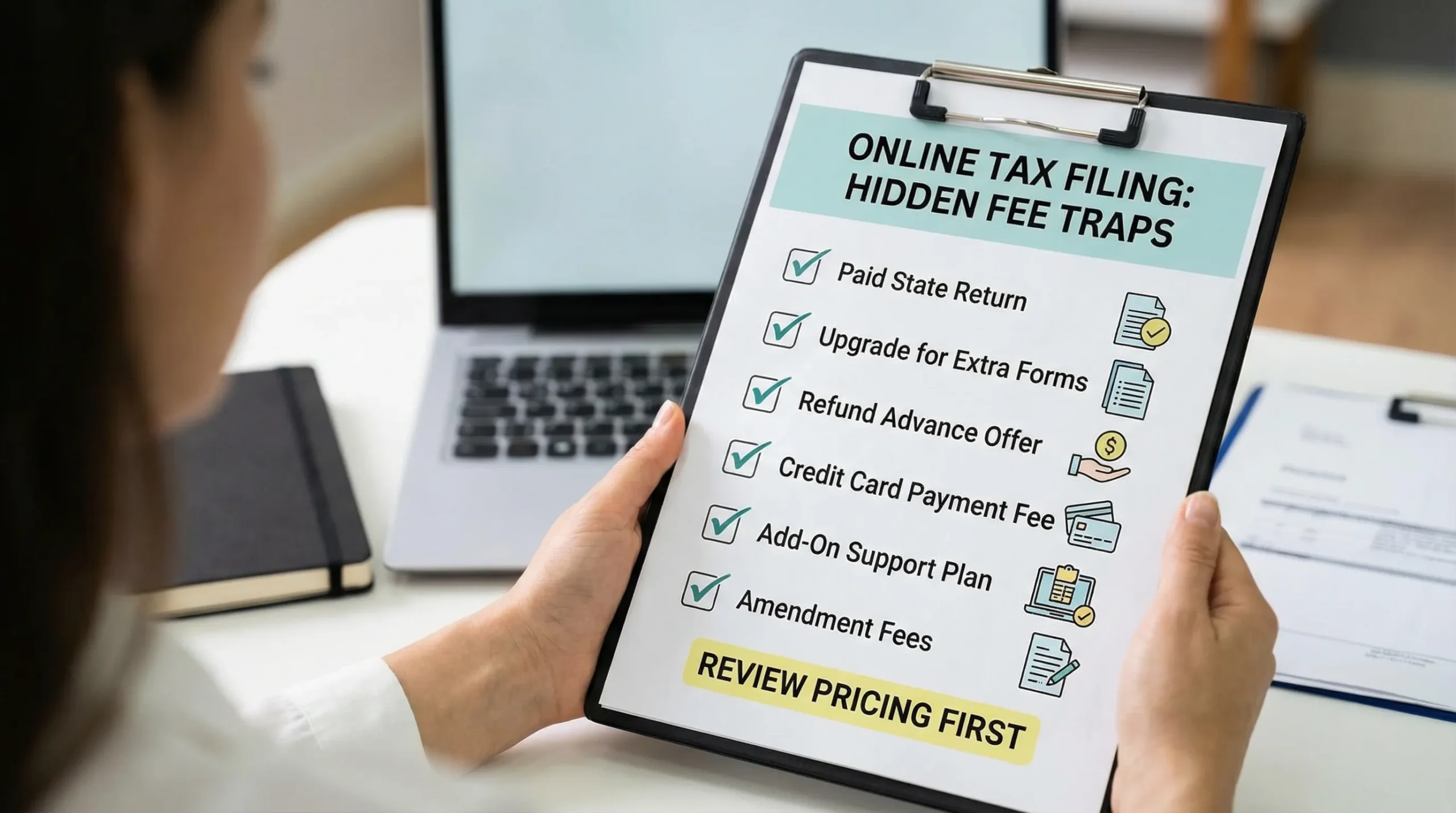
Hidden fees are rarely labeled “hidden.” They show up as optional upgrades, default add-ons, or payment convenience charges that are easy to accept when you just want to finish.
1) “Free” federal, paid state (or local)
This is the classic surprise for many personal filers. If you need a state return, check whether:
- State e-file is included
- State forms cost extra
- You must upgrade to add state credits/deductions
Even if you only want federal filing, confirm the tool does not push state filing as a required step.
2) Pay-to-upgrade triggers (forms, schedules, and “complexity” rules)
Many tools advertise free filing for “simple returns,” but “simple” often has strict limits. The upgrade may trigger when you:
- Add certain forms or schedules
- Report self-employment income
- Add specific credits
- Add additional states
The safest approach is to identify your “must-have” forms before starting, then confirm pricing applies to that situation.
3) Refund-transfer and “instant refund” products
A common fee trap is the refund-linked product: you’re offered faster access to your refund, or you’re told you can pay preparation fees out of your refund. These products can include processing fees.
If your objective is “tax filing free,” the simplest rule is: avoid refund advances and refund transfers unless you’ve read the full fee disclosure and you truly need it.
4) Payment convenience fees (especially for card payments)
The IRS generally doesn’t charge to file a return, but payment processors may charge for paying taxes by card, and some platforms may pass along payment processing costs.
If you are paying federal taxes due, review IRS guidance on approved payment methods and typical fee structures via the IRS payments page: paying your taxes.
For businesses that pay frequently, IRS systems like EFTPS are commonly used to make federal tax payments, separate from the act of filing.
5) Support, “audit defense,” identity monitoring, or document storage add-ons
These add-ons are not automatically bad. The hidden-fee problem happens when they are:
- Pre-selected in checkout
- Bundled into a default “recommended” plan
- Presented as required for filing
If you truly want filing to stay low-cost, choose support levels intentionally, and confirm what you get (and what you don’t) in writing.
6) Amendment and correction charges
Mistakes happen. The cost surprise is when you learn that:
- Amendments are a different product tier
n- Corrections require an upgrade
For excise taxpayers, this is especially relevant because fixes can involve Form 720-X (amended return) or Form 8849 (claims) depending on the situation.
A simple “no surprises” checklist before you start
Most fee surprises can be prevented with a 5-minute review before you enter data.
Confirm the pricing model in plain language
Look for a dedicated pricing page that answers:
- What does the base price include?
- What events trigger an upgrade?
- Are state returns extra?
- Are amendments extra?
- Are refunds, advances, or payment services optional?
If the only “pricing” is a vague banner that says “Start free,” assume you still need to verify the final cost.
Read the checkout screen like a contract
Before you click submit, scan for:
- Pre-checked boxes
- A recurring subscription you did not intend
- “Processing” and “service” fees
- Any mention of third-party products
A good rule: if you did not ask for it, it should not be on your invoice.
How to avoid hidden fees without increasing your compliance risk
The cheapest filing option is not worth it if it leads to errors, rejected submissions, penalties, or avoidable notices. A safer approach is to reduce fees while still using compliant methods.
Use IRS-backed or IRS-authorized pathways when possible
For individual income taxes, start with the IRS Free File landing page and eligibility rules: IRS Free File.
For specialized business filings, prioritize tools and providers that clearly state their authorization status and their scope.
If you file Form 720, one way to reduce risk is to use an IRS-authorized e-file provider that supports the form categories you need, including corrections when your facts change. For example, eFileExcise720 is an IRS-authorized portal designed specifically for Form 720 e-filing (and it also supports related filings like amendments and certain claims). You can learn more about the filing workflow in the site’s guide to understanding Form 720 and how to file it.
Separate “filing” from “paying” in your planning
A frequent cost misunderstanding is treating filing and payment as one bundled transaction.
- Filing is submitting the return (for Form 720, that’s the quarterly excise return).
- Paying is remitting the tax due through an IRS-approved payment method.
Sometimes the “free” offer applies only to one of these steps, and the other step triggers fees (especially when paying by card or using a convenience product).
Avoid last-minute filing, because urgency creates fee mistakes
Hidden fees are easiest to accept when you are rushing. Late filing also increases financial risk because IRS penalties and interest can apply when returns or payments are late.
If you file excise taxes quarterly, keep a standing calendar and review due dates early. (If you want a refresher for Form 720 timing and special rules, see the site’s explanation of the Form 720 due date.)
Privacy and security: the “hidden fee” people forget to count
A “free” tool can become expensive in a different way if it mishandles sensitive business or taxpayer data.
At minimum, any tax filing platform should clearly explain:
- What data it collects
- How it stores and encrypts data
- Whether it shares data with third parties
- How long it retains information
- How you can request deletion (when permitted)
If you’re evaluating vendors for a business, it can help to review general governance and privacy best practices from organizations focused on compliance and risk, such as Privacy & Legal Management Consultants Ltd. and similar resources in your industry.
Special considerations for Form 720 filers trying to control costs
If you file federal excise taxes, the fee risks are often less about “state filing upsells” and more about scope creep: you start with one tax category and realize you need additional schedules, corrections, or claims.
Know whether you need a return, an amendment, or a claim
Misfiling is a quiet cost driver because it leads to rework, delayed refunds, or notices. Here’s a simplified way to think about it:
| Need | Common objective | Typical form involved |
|---|---|---|
| Report and pay current-quarter liability | Stay compliant for the quarter | Form 720 |
| Correct a previously filed quarter | Fix an overstatement/understatement or wrong line item | Form 720-X |
| Request a refund/credit for eligible excise taxes | Recover excise taxes in specific situations | Form 8849 |
This distinction matters because some providers price each pathway differently.
If you’re unsure about Form 720 versus Form 8849, the site has a dedicated explainer on Form 720 vs Form 8849.
Choose tools that support your full category set
Form 720 covers a wide range of excise tax categories. A hidden cost occurs when you discover mid-process that your tool does not support your category, forcing you to restart elsewhere.
Before you commit time, confirm the platform supports:
- Your exact Form 720 categories
- Any required attachments relevant to your situation
- The ability to amend (if needed)
eFileExcise720 states it supports all Form 720 categories and related filing types like 720-X amendments and Form 8849 claims, which can help reduce the risk of switching costs later.
Look for transparent support (so you don’t pay for avoidable mistakes)
With excise taxes, one wrong taxable-event assumption can create a chain reaction of corrections. Support is not just a “nice to have,” it can be a cost-control tool when it prevents:
- Rejected filings
- Misapplied payments
- Incorrect quarter selection
- Misclassification of taxable activities
If you choose a platform, prefer one that makes support terms clear (what’s included, what’s not), rather than pushing a surprise support fee at the end.
A practical way to compare “free” vs paid options (without over-optimizing for $0)
If the headline promise is “tax filing free,” it’s tempting to choose the option that claims $0 the loudest. A better comparison is total cost plus risk.
Use a simple scorecard approach:
| What to compare | Why it matters | What to look for |
|---|---|---|
| Total cost to file your exact situation | Prevents last-minute upgrades | Pricing tied to forms/categories you need |
| Payment method costs | Card and convenience fees can add up | IRS-approved payment choices, clear fee disclosure |
| Amendment/claim workflow | Errors or changes happen | Clear support for amendments or refund claims |
| Data protection posture | A breach is expensive | Strong security statements, clear privacy policy |
| Proof of filing | Reduces dispute risk | IRS acknowledgment or submission confirmation |
The result might still be free, but now it’s free because it fits, not because it was marketed that way.
Bottom line: “tax filing free” is safest when it’s predictable
Avoiding hidden fees is mostly about predictability:
- Verify what “free” includes before entering data.
- Watch for upgrade triggers and pre-selected add-ons.
- Treat payment as a separate decision with its own fee structure.
- For business and excise filings, make sure the platform supports your full workflow, including amendments and claims.
If you file Form 720, using an IRS-authorized e-file provider built for excise taxes can help reduce rework, delays, and category-related surprises, while still keeping costs transparent and manageable.