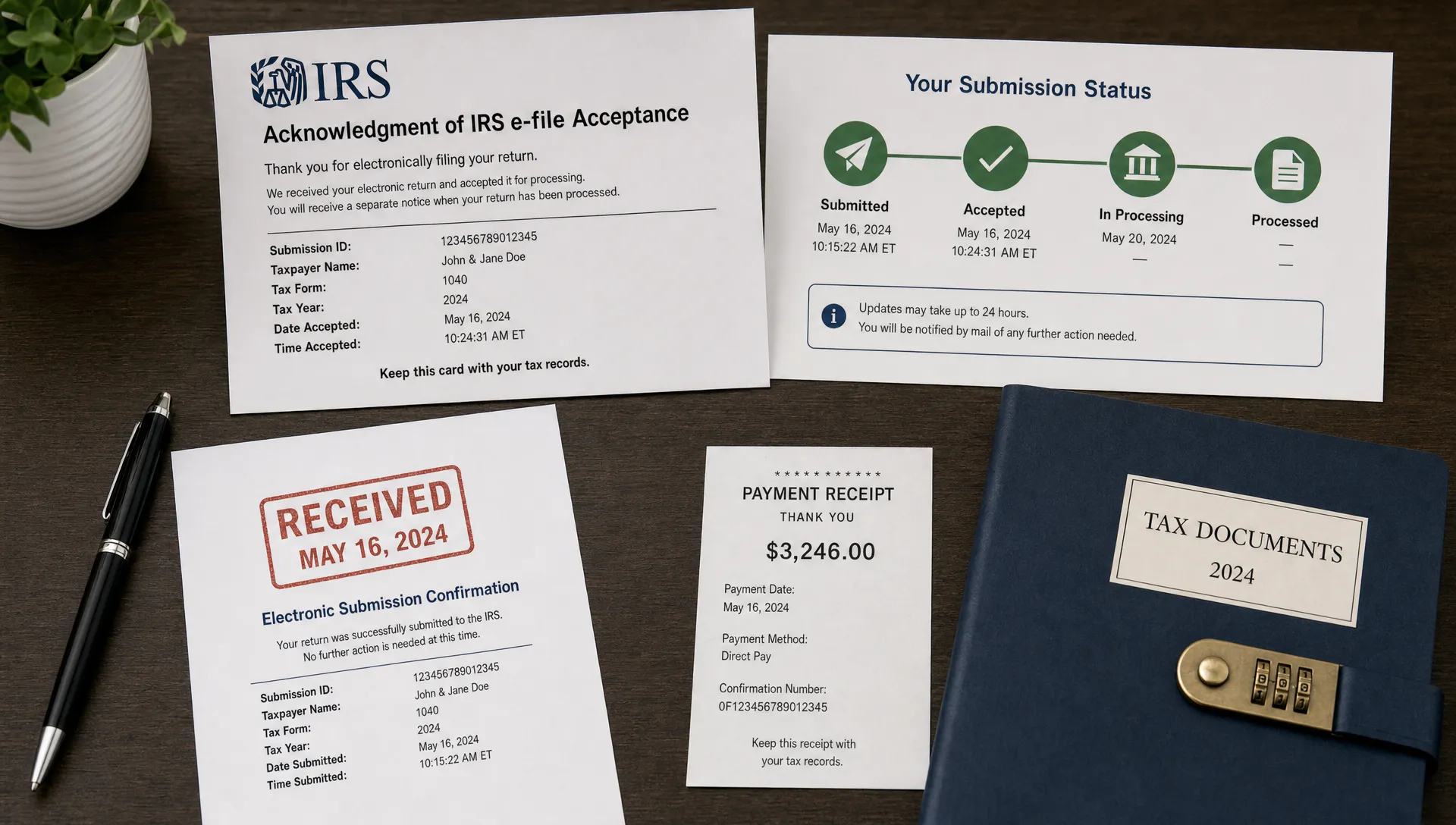
What Happens After You Submit IRS Form 720 Electronically
Submitting Form 720 online can feel like the finish line, especially if you have gathered excise tax records, reviewed the return, and transmitted it before the deadline. In reality, submission starts the final part of the compliance process: confirmation, payment follow-through, recordkeeping, and monitoring for IRS updates.
If this is your first time using IRS Form 720 electronic filing, the most important thing to understand is that an electronic submission does not disappear into a black box. Your return moves through a series of status checks, and each status tells you what to do next.
Below is what typically happens after you submit IRS Form 720 electronically, what each response means, and how to avoid post-filing mistakes that can lead to penalties, notices, or unnecessary stress.
Your return is transmitted to the IRS
After you complete and submit Form 720 through an IRS-authorized e-filing provider, the return is transmitted electronically to the IRS for processing. This is one of the main reasons many businesses prefer e-filing over mailing: you get a clearer submission trail and faster status feedback than you would with paper filing.
If you are still comparing filing methods, this guide on whether to e-file Form 720 or mail it explains why electronic filing is usually the faster option for businesses that want proof of timely transmission.
At this stage, your e-filing provider may show a status such as “submitted,” “transmitted,” or “pending.” The exact wording depends on the platform, but the meaning is generally the same: your return has left your account and is awaiting IRS acknowledgment.
This does not yet mean the IRS has accepted your return. It means the return has been sent for IRS review.
The IRS sends an acknowledgment
Once the IRS receives the electronic return, it sends back an acknowledgment. This acknowledgment is one of the most important benefits of electronic filing because it tells you whether the return was accepted for processing or rejected because something needs to be corrected.
An accepted acknowledgment usually means the return passed the IRS electronic filing validations and has been received for processing. A rejected acknowledgment means the return did not pass one or more electronic checks, so it must be corrected and retransmitted.
Here is a simple way to understand common post-submission statuses:
| Status | What it usually means | What you should do |
|---|---|---|
| Submitted or transmitted | Your return has been sent to the IRS through the e-file system | Wait for the IRS acknowledgment and keep monitoring your account |
| Accepted | The IRS has received the return and accepted it for processing | Save the confirmation and verify payment obligations |
| Rejected | The IRS did not accept the return due to an error or mismatch | Review the rejection details, correct the issue, and retransmit promptly |
| Processing | The IRS has accepted the return and is continuing normal processing | Keep records and watch for any IRS notices |
Acceptance is not the same as a full audit or approval of every amount reported. It means the IRS accepted the electronic return for processing. You are still responsible for the accuracy of the tax reported, the timeliness of any deposits or payments, and the records supporting your return.
If your return is accepted, save the proof immediately
After your Form 720 is accepted, save your confirmation details. This may include the filing date, accepted status, submission ID, acknowledgment record, and a copy of the return. Your e-filing account may keep these records, but it is still smart to download or securely store your own copies according to your company’s recordkeeping policies.
The IRS generally expects taxpayers to keep records that support tax returns, including documentation used to calculate excise taxes. For Form 720, that may include sales reports, fuel records, environmental tax calculations, communications tax records, indoor tanning service records, PCORI fee calculations, or other industry-specific records depending on what you reported.
For more detailed IRS guidance on the form itself, you can refer to the IRS instructions for Form 720. These instructions explain categories, schedules, deposits, and other filing requirements directly from the IRS.
Your confirmation file should answer a basic question: if someone asked whether the return was filed on time, could you prove it quickly? If the answer is yes, your post-filing process is already stronger than many businesses realize.
If your return is rejected, it has not been successfully filed yet
A rejection is not the same as a penalty, and it does not always mean you did something major wrong. Many electronic filing rejections are caused by correctable issues, such as identification mismatches, missing required information, formatting problems, or inconsistencies in the return.
The key is to act quickly. A rejected Form 720 should be reviewed, corrected, and resubmitted as soon as possible. If the filing deadline is approaching or has already passed, delays can become more serious.
Common causes of electronic filing rejection may include:
- Incorrect or mismatched employer identification number information
- Missing required fields or schedules
- Calculation inconsistencies
- Invalid tax period selection
- Entity information that does not match IRS records
Do not ignore a rejected status just because you clicked “submit.” Until the IRS accepts the return, the electronic filing process is not complete. If you are using a provider with customer support, this is the time to contact them and resolve the rejection before it creates a compliance problem.
Payment and deposits still need attention
One of the most common misunderstandings after filing Form 720 electronically is assuming that submitting the return automatically completes payment. Filing and paying are related, but they are not always the same action.
Many excise taxes reported on Form 720 are subject to deposit rules, often through the Electronic Federal Tax Payment System. Some businesses make semimonthly deposits during the quarter, then use Form 720 to report and reconcile the liability. Others may have a balance due when the return is filed, depending on the tax type and deposit requirements.
The important point is simple: after your return is accepted, verify that the tax has been paid or deposited as required. If your business uses EFTPS, confirm the payment amount, tax period, tax form, and effective date. A return can be electronically accepted while a payment issue still exists separately.
This is especially important for businesses with recurring Form 720 obligations. A clean filing confirmation does not fix late deposits, underpayments, or payments applied to the wrong period.

You should reconcile the filed return against your internal records
After acceptance, take a few minutes to compare the final filed return with your internal accounting records. This step is easy to skip, but it can catch issues before they become bigger problems.
Start with the final liability reported on Form 720. Then compare that amount to your deposits, payment confirmations, accounting reports, and supporting calculations. If your business has multiple excise tax categories, confirm that each category was reported in the correct section and for the correct quarter.
A post-filing reconciliation can help identify mistakes such as a duplicated calculation, an omitted product line, an incorrect tax period, or a payment recorded in your accounting system but not actually scheduled through EFTPS. The earlier you catch these issues, the easier they are to resolve.
For businesses preparing future filings, a structured process also helps. You can use the Form 720 e-filing checklist for 2026 to build a repeatable workflow before each quarterly deadline.
The IRS may still send a notice later
Even after an electronic return is accepted, the IRS may send a notice if it identifies a discrepancy, missing payment, late deposit, underpayment, math issue, or other concern. Receiving a notice does not automatically mean your business is in serious trouble, but it does mean you should respond carefully and on time.
If you receive an IRS notice related to Form 720, compare it against:
- The accepted return copy
- IRS acknowledgment or confirmation records
- EFTPS payment confirmations
- Deposit schedules and dates
- Supporting sales, usage, or tax calculation records
Read the notice line by line. IRS notices usually explain the issue, the tax period involved, the amount in question, and the response deadline. If the notice is correct, follow the payment or correction instructions. If you disagree, respond with documentation that supports your position.
Do not assume the notice is wrong just because you e-filed. Electronic filing helps reduce transmission errors, but it does not eliminate every possible issue with tax calculation, deposits, or business records.
If you discover an error after acceptance, review amendment options
Sometimes a business discovers a mistake after the IRS accepts Form 720. Maybe a taxable sale was omitted, a tax was reported in the wrong category, or an internal report changed after filing. When that happens, do not try to “fix” the original return by filing the same return again unless you know that is the correct procedure.
For many Form 720 corrections, businesses may need to use Form 720-X, Amended Quarterly Federal Excise Tax Return. Certain overpayment or refund situations may involve Form 8849, depending on the facts. Because excise tax corrections can be category-specific, it is wise to review the IRS instructions or work with a tax professional if you are unsure which form applies.
The best approach is to document the error, identify the affected quarter and tax category, calculate the difference, and determine the correct correction method. If you use an e-filing provider that supports Form 720-X or Form 8849 claims, customer support may also help you understand the filing workflow, although they should not replace professional tax advice for complex issues.
Keep an eye on the next Form 720 deadline
Form 720 is generally a quarterly return, so filing one return usually means another deadline is not far away. After your return is accepted, add the next quarter’s deadline to your calendar and assign internal responsibilities for gathering records, reviewing calculations, and confirming deposits.
Businesses can run into problems when they treat each Form 720 filing as a one-time project. A better approach is to maintain a quarterly compliance rhythm. As soon as one return is accepted, your team should know what records will be needed for the next quarter.
If you are planning ahead, this updated Form 720 due date guide can help you track quarterly filing deadlines and avoid last-minute filing pressure.
What to keep after filing Form 720 electronically
Your post-filing file should be complete enough that you can answer questions months or years later without rebuilding the return from scratch. That matters because excise tax calculations often depend on specific transaction records, product categories, or service activity for a particular quarter.
At a minimum, consider keeping your accepted return copy, IRS acknowledgment, payment confirmations, deposit records, calculation worksheets, and the source reports used to prepare the return. If your business has industry-specific excise tax obligations, keep the records that support those calculations as well.
Good recordkeeping also makes the next filing easier. When you have a consistent folder structure and a documented process, your business is less likely to miss a category, misplace a payment confirmation, or spend hours searching for prior-quarter details.
A practical post-submission checklist
After you submit IRS Form 720 electronically, use this short checklist to close the loop:
- Confirm whether the return was accepted or rejected by the IRS
- Save the acknowledgment, submission details, and filed return copy
- Correct and retransmit promptly if the return was rejected
- Verify deposits or payments separately from the filing status
- Reconcile the filed return against internal accounting records
- Store supporting documentation for each tax category reported
- Watch for IRS notices and respond by the stated deadline
- Calendar the next quarterly Form 720 deadline
This checklist is simple, but it covers the most common post-filing gaps. Most issues after electronic filing come from assuming the process is finished too early. Acceptance matters, but payment, records, and future deadlines matter too.
Frequently Asked Questions
How long does it take to get confirmation after filing Form 720 electronically? Timing can vary, but electronic filing generally provides faster status feedback than mailing. You should monitor your e-filing account until you see whether the IRS accepted or rejected the return.
Does an accepted Form 720 mean the IRS approved every number on my return? No. Acceptance means the IRS received the electronic return and accepted it for processing. You remain responsible for accurate calculations, correct tax categories, timely deposits, and supporting records.
What should I do if my electronically filed Form 720 is rejected? Review the rejection message, correct the issue, and retransmit the return promptly. A rejected return generally means the filing has not been successfully completed.
Does e-filing Form 720 automatically pay my excise tax? Not necessarily. Filing and payment are separate compliance steps unless a specific payment arrangement is completed. Always verify deposits or payments through the appropriate payment system, such as EFTPS when applicable.
Can I amend Form 720 after it has been accepted? Yes, if you discover an error after acceptance, you may need to file an amended return using Form 720-X or use another IRS correction process depending on the issue. Review IRS guidance or consult a tax professional for complex corrections.
File and manage Form 720 with confidence
The period after submission is just as important as the filing itself. You need confirmation, payment verification, clean records, and a plan for the next quarter.
eFileExcise720 helps businesses file Form 720 online through an IRS-authorized e-filing platform, with secure data handling, simple dashboard navigation, and personalized customer support. Whether you are filing a current return, preparing an amendment, or managing recurring excise tax obligations, a reliable electronic workflow can make compliance easier to manage.