Form File Mistakes That Delay IRS Acceptance
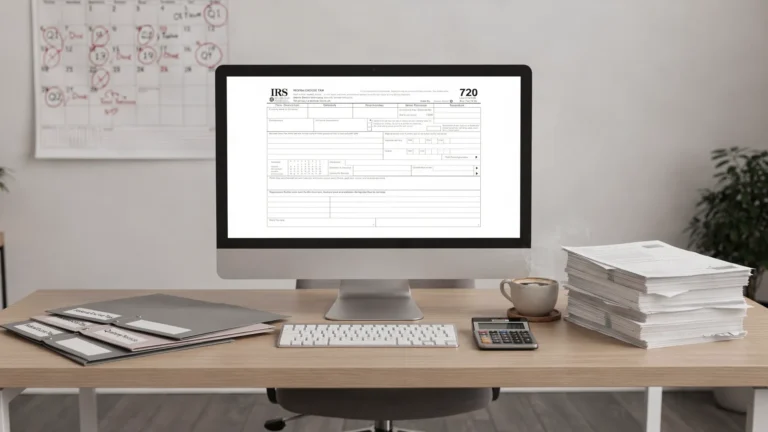
IRS acceptance is the moment your electronic return passes IRS intake checks and is received for processing. For Form 720 filers, that step matters because a rejected return usually has to be corrected and retransmitted before it is treated as accepted.
The good news is that many delays are preventable. Most form file mistakes are not complicated tax disputes. They are avoidable data-entry, timing, documentation, or category-mapping issues that create friction before the IRS can accept the return.
Below is a practical review of the errors that most often slow down IRS acceptance for Form 720 and related excise tax filings, plus the pre-file checks that can help you submit with more confidence.
Why IRS acceptance can be delayed
Form 720 is used to report and pay many federal excise taxes, including fuel, environmental, communications, air transportation, indoor tanning, foreign insurance, PCORI fees, and other category-specific liabilities. The IRS provides official line-by-line guidance in the Instructions for Form 720, and filers should always use those instructions as the controlling source for tax category rules.
When you e-file, the IRS does not simply receive a PDF and process it later. The return must pass electronic checks, including identity, tax period, format, and form-structure validations. Some issues trigger an immediate rejection. Others may not block initial acceptance but can still create IRS notices, payment mismatches, or follow-up delays.
That is why a clean submission process should check two things:
- Whether the return can be accepted electronically.
- Whether the information will reconcile with deposits, schedules, and business records after acceptance.
If your business files quarterly, the best time to catch these problems is before transmission, not after an IRS reject appears near the deadline.
Common form file mistakes that delay IRS acceptance
| Mistake | Why it causes delays | Quick pre-file check |
|---|---|---|
| Wrong EIN or business details | IRS systems may not match the filer to the business account | Verify EIN, legal name, and address against IRS records and prior filings |
| Incorrect tax period | A return for the wrong quarter can be rejected or misapplied | Confirm the quarter matches the liability period, not the payment date |
| Wrong Form 720 category or IRS number | The IRS uses category-specific lines and numbers to process excise taxes | Match each activity to the current Form 720 instructions |
| Missing schedules or attachments | Some excise taxes require supporting schedules or companion forms | Review whether Schedule A, Schedule C, Schedule T, or Form 6627 applies |
| Math, rate, or unit errors | Incorrect calculations can create inconsistencies across lines | Recalculate quantities, rates, subtotals, credits, and total tax |
| Duplicate filings | A second original return for the same period may trigger duplicate-return issues | Check whether you need an original return, Form 720-X, or a refund claim |
| Payment and deposit mismatch | EFTPS deposits that do not align with the return can create notices | Reconcile deposits, tax liability, and any balance due before filing |
| Unsupported negative amounts | Credits or adjustments entered on the wrong line may fail validation | Use the correct adjustment, claim, or amended return process |
Mistake 1: Using the wrong EIN or legal business name
An incorrect EIN is one of the simplest errors to make and one of the most disruptive. It can happen when a company has multiple entities, recently reorganized, changed payroll providers, or copied data from a prior filing template.
For Form 720, do not rely only on an internal nickname or DBA. The IRS generally identifies the filer by the legal name and EIN connected to its business tax account. If the return is prepared by someone who does not normally handle federal tax filings, verify the information against prior IRS correspondence, a previous accepted Form 720, or the company’s official tax records.
This is especially important for organizations with subsidiaries, fuel operations, multiple locations, or plan sponsors filing PCORI fees. One wrong digit can turn a timely submission into a last-minute correction process.
Mistake 2: Selecting the wrong quarter
Form 720 is generally filed quarterly. A common mistake is selecting the quarter based on when the team is preparing the return rather than when the excise tax liability arose.
For example, a business preparing a return in April may accidentally select the second quarter even though it is filing for first-quarter activity. Similarly, a payment made after quarter-end does not change the reporting period for the taxable event.
Use a simple rule: match the return period to the taxable transactions or liability period. If you need a refresher on filing windows, review the Form 720 due date guide before submitting.
Mistake 3: Mapping activity to the wrong excise tax category
Form 720 covers many different excise taxes, and each category has its own reporting logic. Choosing the wrong line or IRS number can cause an electronic issue, a tax computation problem, or a later IRS notice.
This often occurs when a business describes an activity in everyday language rather than tax language. For example, fuel-related activity may involve different reporting treatment depending on the fuel type, use, sale, removal, or claim scenario. Environmental taxes may require additional detail, while PCORI fee reporting follows its own rules for plan sponsors and insurers.
Before filing, compare your activity to the latest IRS Form 720 page and instructions. If your company has more than one taxable activity, build a category map that shows each product, service, transaction type, and corresponding Form 720 line.
Mistake 4: Missing required schedules or supporting forms
Some Form 720 filings are straightforward. Others require additional schedules. Missing a required attachment can delay acceptance or create follow-up work after filing.
Common examples include Schedule A for certain excise tax liabilities and deposits, Schedule C for claims and adjustments, Schedule T for certain two-party exchange information, and Form 6627 for environmental taxes. The correct requirement depends on the tax category and facts of the filing.
Do not assume that a schedule is unnecessary because the return was simple last quarter. New products, refunds, imported items, credits, environmental liabilities, or operational changes can change what must be included.
Mistake 5: Entering credits, claims, or adjustments in the wrong place
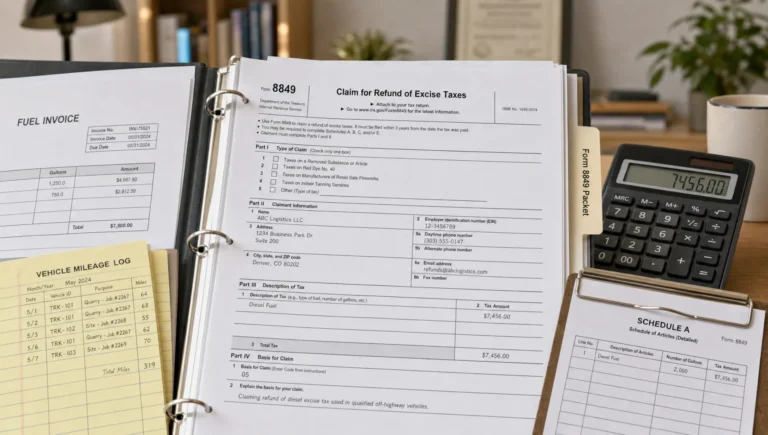
Not every overpayment or correction belongs on the original Form 720. Some situations require Form 720-X for an amended excise tax return. Others may require Form 8849 for a refund claim, depending on the type of tax and claim.
A frequent form file mistake is trying to force a refund, credit, or correction into a line that does not support it. This can create validation problems or cause the IRS to question the filing later.
Before entering a negative amount or reducing current-quarter tax, confirm the proper path. If you are deciding between an excise tax return, amendment, or refund claim, this guide on Form 720 vs Form 8849 can help you understand the difference.
Mistake 6: Letting deposits and return totals fall out of sync
For some excise taxes, businesses may have deposit obligations separate from the quarterly return filing. Payment timing and filing acceptance are not the same thing. A return can be prepared correctly but still create problems if deposits were late, assigned to the wrong period, or made in an amount that does not reconcile with the return.
The IRS uses the Electronic Federal Tax Payment System for many federal tax payments. If your business makes excise tax deposits, confirm the payment type, tax period, and amount through EFTPS guidance and your internal payment records.
Before filing, compare:
- Total liability reported on Form 720.
- Deposits made for the same quarter.
- Any balance due with the return.
- Any credits or adjustments applied.
This review may not prevent every IRS notice, but it greatly reduces avoidable mismatches.
Mistake 7: Filing an original return when an amendment is needed
Once a Form 720 has been accepted for a quarter, do not simply file another original return to fix it. Duplicate filings can delay processing and create confusion about which return is correct.
If the accepted return contains an error, the usual next step is to determine whether Form 720-X is required. If the issue involves a refund or claim for certain excise taxes, Form 8849 may be more appropriate. The right form depends on the specific tax, claim, and correction.
For amended return questions, you can review this guide on whether an amended return can be e-filed. When in doubt, consult the IRS instructions or a qualified tax professional before transmitting another filing.
Mistake 8: Rushing the return without a final acceptance checklist
Many IRS acceptance delays happen in the final hour. The preparer has the numbers, the filing deadline is close, and the team wants to transmit quickly. That is when small errors slip through.
Use a final review that is short enough to complete every quarter but specific enough to catch common mistakes.
| Review item | Question to ask before filing |
|---|---|
| Business identity | Does the EIN and legal name match IRS records? |
| Filing period | Is the return for the correct quarter? |
| Tax category | Are all activities mapped to the correct Form 720 lines? |
| Calculations | Do quantities, rates, and totals reconcile to source records? |
| Schedules | Are required schedules and forms included? |
| Deposits | Do payment records match the tax period and liability? |
| Corrections | Is this truly an original return, not an amendment or claim? |
| Records | Can the business support the filing if the IRS asks for detail? |
For a more complete preparation process, use the Form 720 e-filing checklist for 2026 before each quarterly deadline.
What to do if the IRS rejects your Form 720 filing
A rejection is not the same as an accepted return with a later IRS question. If a return is rejected, it generally means the IRS did not accept it for processing in its submitted form. The priority is to read the rejection message, correct the issue, and retransmit as soon as possible.
Start with the simplest items first: EIN, name, tax period, duplicate filing status, missing data, and formatting. Then review category-specific lines, schedules, and calculations.
If the deadline is close, do not wait several days to troubleshoot. A rejected return may still expose the business to late filing or payment risk if it is not corrected in time. For more on late-filing exposure, see the guide to Form 720 penalties and interest.
How eFileExcise720 helps reduce filing friction
eFileExcise720 is an IRS-authorized online platform for filing Form 720 federal excise tax returns. It is designed to make quarterly compliance easier with online filing, secure data handling, simple dashboard navigation, and personalized customer support.
For businesses that handle multiple excise tax categories, e-filing through a dedicated Form 720 platform can reduce manual paperwork and help teams organize the submission process. eFileExcise720 also supports Form 720 amendments and Form 8849 claims, which is useful when a business needs to correct a prior filing or pursue an eligible excise tax refund.
No filing system can replace accurate source records or professional tax judgment. But using an IRS-authorized e-filing portal can help eliminate avoidable process delays, especially compared with last-minute manual preparation.
Frequently Asked Questions
What does IRS acceptance mean for Form 720? IRS acceptance means the electronically submitted return passed IRS intake checks and was accepted for processing. It does not mean the IRS has audited or approved every tax position on the return.
Can a rejected Form 720 still be considered filed on time? A rejected return generally needs to be corrected and retransmitted. If you are filing close to a deadline, correct the issue immediately and consult your e-file provider or tax professional about your specific timing risk.
Does a payment mistake delay IRS acceptance? A payment mistake may not always block electronic acceptance, but it can create IRS notices, penalty risk, or reconciliation delays. Always match deposits and payments to the correct tax period and liability.
What should I do if I filed the wrong amount on an accepted Form 720? Review whether the correction should be made with Form 720-X, Form 8849, or another permitted method based on the tax type and facts. Do not file a duplicate original return without confirming the proper correction process.
How can I avoid repeated Form 720 filing errors? Keep a quarterly checklist, reconcile source records before filing, confirm Form 720 categories against current IRS instructions, and use a secure e-filing platform that supports Form 720 workflows.
File Form 720 with fewer avoidable delays
IRS acceptance delays often come from small mistakes that are easy to miss under deadline pressure. A careful review of business identity, tax period, category mapping, schedules, payments, and correction status can make each filing smoother.
When you are ready to file, create a free account and file Form 720 online with eFileExcise720. The platform offers IRS-authorized e-filing, no software download, secure data protection, support for all Form 720 categories, and assistance for amendments and eligible excise tax claims.