How Form E Filing Works for IRS Excise Returns
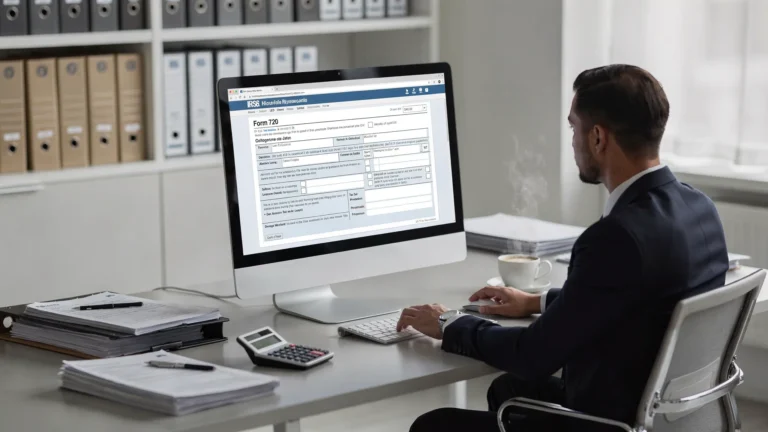
If you searched for “form e filing,” you are likely looking for the electronic filing process for IRS excise tax forms, especially Form 720, Quarterly Federal Excise Tax Return. For many businesses, e-filing is not just a faster way to submit a return. It is a more organized workflow for preparing excise tax data, validating return details, receiving IRS confirmation, and keeping a reliable filing record.
IRS excise returns are different from income tax returns. They are often triggered by specific business activities, such as fuel sales, air transportation, communications services, environmental taxes, manufacturers taxes, indoor tanning services, or the PCORI fee. Because these liabilities are activity-based, the quality of your source data matters just as much as the filing method.
Below is a practical explanation of how form e filing works for IRS excise returns, what happens after submission, and how to avoid the most common filing problems.
What “form e filing” means for IRS excise returns
Form e filing simply means submitting an IRS form electronically instead of mailing a paper return. In the excise tax context, businesses most often use electronic filing for:
- Form 720 : Used to report and pay many federal excise taxes on a quarterly basis.
- Form 720-X : Used to amend certain previously filed Form 720 excise tax returns.
- Form 8849 : Used to claim certain excise tax refunds or credits, often for qualifying fuel-related claims.
The main return for ongoing excise tax reporting is Form 720. The IRS Form 720 page describes it as the Quarterly Federal Excise Tax Return, which businesses use to report liability for various excise taxes.
Electronic filing does not change the underlying tax rules. You still need to identify the correct excise tax category, compute the liability accurately, include any required schedules, and pay on time. What changes is the filing workflow: instead of preparing a paper form, printing it, mailing it, and waiting, you enter the required information into an electronic filing system and receive a digital filing response.
Paper filing vs. electronic filing for excise returns
Paper filing can still be available in some situations, but many businesses prefer e-filing because it helps reduce administrative friction. The difference is especially important for quarterly returns, where repeatable processes matter.
| Filing step | Paper filing | Electronic filing |
|---|---|---|
| Return preparation | Manual form completion | Guided online entry or digital workflow |
| Error detection | Often discovered after IRS processing | Many issues can be flagged before submission |
| Submission method | Mail to the IRS | Transmit through an authorized e-file system |
| Filing confirmation | Proof of mailing and later IRS processing | Electronic acknowledgement after transmission |
| Corrections | May require paper follow-up | Rejections can often be corrected and resubmitted electronically |
| Recordkeeping | Physical copies and mailing receipts | Digital filing history and acknowledgement records |
The biggest operational advantage is speed of feedback. With paper filing, a mistake may not surface until much later. With e-filing, the system can help catch missing fields, inconsistent information, or formatting issues before the return reaches the IRS.
How form e filing works, step by step
A good e-filing process starts before you log in to any portal. The strongest returns are built from clean operational records, accurate tax mapping, and a clear understanding of which IRS form applies.
1. Confirm which excise tax activities apply
Federal excise taxes are tied to specific goods, services, transactions, and industry activities. A business does not file Form 720 simply because it is incorporated or profitable. It files because it has a taxable excise activity during the reporting period.
Common Form 720 categories include fuel-related taxes, environmental taxes, communications and air transportation taxes, manufacturers taxes, foreign insurance taxes, indoor tanning services, and the PCORI fee. The IRS excise tax overview is a useful starting point for understanding how federal excise taxes work.
For example, a fuel distributor may need to report fuel excise taxes. A self-insured health plan sponsor may need to report the PCORI fee. A business importing certain petroleum products may have environmental excise obligations. Each situation requires different data, tax numbers, and sometimes supporting schedules.
2. Gather the information needed for the return
Before starting an electronic Form 720 filing, collect the details needed to complete the return accurately. At a minimum, this usually includes your legal business name, EIN, address, quarter being filed, responsible party details, excise tax category, taxable units or amounts, deposits already made, and any supporting documentation.
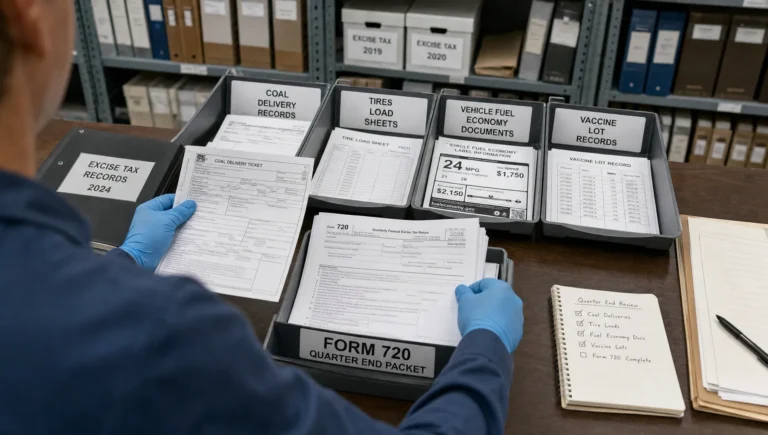
The required source records depend on the tax category. Fuel filers may need gallons, product type, terminal records, and exemption documentation. Air transportation filers may need ticket charges, passenger counts, or taxable transportation amounts. PCORI filers need covered lives data based on an accepted counting method.
Clean preparation reduces both IRS rejections and downstream audit risk. E-filing makes submission easier, but it does not replace your responsibility to keep records that support the return.
3. Enter the return details into an e-file platform
Once the data is ready, the filer enters the applicable Form 720 information into an electronic filing platform. In an IRS-authorized system such as eFileExcise720, users can create an account, access the online dashboard, and complete the filing without downloading software.
The system guides the filer through the relevant business information and Form 720 categories. This matters because Form 720 covers many different excise taxes, and not every business uses the same lines or schedules. A fuel filer’s return will look different from a communications provider’s return or a PCORI-only filing.
4. Review calculations, schedules, and deposits
Before transmission, the return should be reviewed for both tax accuracy and filing completeness. This includes checking the quarter, EIN, tax category, tax number, taxable units, rate application, total liability, and any deposits already made.
Some Form 720 filers may also need related schedules or attachments. For example, certain environmental taxes may require Form 6627, and some fuel-related reporting may involve additional schedules. If your return includes credits, claims, or adjustments, confirm whether they belong on Form 720, Form 720-X, or Form 8849.
If you are unsure whether you are reporting a current-quarter liability or claiming a refund, review the distinction between Form 720 and Form 8849 before submitting.
5. Submit the return electronically
After review, the return is transmitted electronically to the IRS through the authorized filing process. Behind the scenes, the return information is converted into an IRS-compatible electronic format and checked against IRS filing rules.
This is one reason e-filing can reduce avoidable delays. If required information is missing or formatted incorrectly, the system may flag the issue before or during transmission. If the IRS rejects the return, you can correct the problem and resubmit.
An important point: a rejected return is not the same as an accepted return. For deadline-sensitive filings, submit early enough to leave time for correction if the IRS response identifies an issue.
6. Receive IRS acknowledgement
After the IRS processes the electronic transmission, the filer receives an acknowledgement showing whether the return was accepted or rejected. An accepted acknowledgement is your key proof that the IRS received the return electronically.
If the return is rejected, the acknowledgement typically identifies the issue that must be corrected. Common causes include EIN/name mismatches, incorrect tax periods, missing required fields, invalid amounts, or schedule inconsistencies.
Businesses should save the acknowledgement with their tax records, along with the filed return, payment confirmation, supporting calculations, and source documentation.
7. Pay any tax due separately and on time
E-filing the return and paying the tax are related, but they are not always the same action. Many businesses make federal tax deposits or payments through the Electronic Federal Tax Payment System, commonly known as EFTPS.
Some excise taxes may require semi-monthly deposits rather than a single quarterly payment. The deposit rules can vary by tax type and liability amount, so filers should review the IRS instructions for their specific excise category.
Do not assume that submitting Form 720 electronically automatically satisfies your payment obligation. Always confirm how your tax will be paid, when it is due, and whether deposits are required before the quarterly return deadline.
Form 720 e-filing deadlines for 2026
Form 720 is generally due by the last day of the month after the end of the calendar quarter. If the due date falls on a weekend or federal holiday, the deadline generally moves to the next business day.
| Reporting quarter | Period covered | General 2026 due date |
|---|---|---|
| 1st quarter | January 1 to March 31, 2026 | April 30, 2026 |
| 2nd quarter | April 1 to June 30, 2026 | July 31, 2026 |
| 3rd quarter | July 1 to September 30, 2026 | November 2, 2026 |
| 4th quarter | October 1 to December 31, 2026 | February 1, 2027 |
These dates are for the quarterly return itself. Deposit rules may require certain taxpayers to make payments before the Form 720 due date. For a deeper look at timing, see this guide to Form 720 due dates.
What happens if the IRS rejects an e-filed excise return?
An IRS rejection does not always mean the tax calculation is wrong. It often means the return did not pass electronic filing checks. The key is to treat rejections quickly, especially near a deadline.
Common e-file rejection or delay triggers include:
- EIN and business name do not match IRS records.
- The wrong filing quarter was selected.
- Required lines or schedules are incomplete.
- Taxable units are entered in the wrong format.
- Credits or adjustments are reported on the wrong form.
- Payment or deposit information does not reconcile with the return.
The best practice is to review the rejection message, correct the exact issue, and resubmit as soon as possible. Avoid making unrelated changes unless you have identified a real error. This keeps your correction focused and reduces the chance of creating a new problem.
When to use Form 720-X or Form 8849 after e-filing
E-filing does not eliminate the possibility of later corrections. If you discover an error after Form 720 is accepted, the next step depends on the type of issue.
| Situation | Common form used | Purpose |
|---|---|---|
| You reported the wrong excise tax amount on a filed Form 720 | Form 720-X | Amend certain Form 720 errors |
| You qualify for a refund of excise tax already paid | Form 8849 | Claim refund or credit for eligible excise taxes |
| You need to report current-quarter excise tax liability | Form 720 | File quarterly excise tax return |
Form 720-X is generally used to correct certain previously reported excise tax liabilities. Form 8849 is generally used for refund claims, often involving specific fuel-related or other eligible excise tax situations. If your issue involves a refund claim, review the site’s guide to Form 8849 refund claims.
Using the wrong form can delay processing. Before filing a correction or claim, identify whether you are amending a return, claiming a refund, or reporting a new quarterly liability.
Why businesses use an IRS-authorized e-file provider
Excise tax compliance can be repetitive, deadline-driven, and detail-heavy. An IRS-authorized e-file provider helps businesses turn that process into a more structured workflow.
With eFileExcise720, businesses can file Form 720 online through an IRS-authorized platform, create an account for free, use a simple dashboard, and access personalized customer support. The platform supports Form 720 categories, Form 720 amendments, and Form 8849 claims support, which helps filers manage more than one excise tax need in the same environment.
For many businesses, the value is not only speed. It is also clarity. Instead of searching for the right mailing address, managing paper copies, and waiting for manual processing, a digital workflow gives filers a cleaner path from preparation to IRS acknowledgement.
Best practices before you e-file an IRS excise return
A smooth Form 720 e-filing process depends on preparation. Before submitting, confirm that the business profile is current, the quarter is correct, and the reported tax category matches the actual business activity.
It is also wise to reconcile your return against operational records. For example, taxable gallons should tie back to fuel records, taxable charges should tie back to invoices, and PCORI covered lives should tie back to plan records. If deposits were made during the quarter, confirm that the amounts and dates are documented.
Finally, save everything in one filing folder. Include the accepted return, IRS acknowledgement, payment confirmation, worksheets, exemption certificates, invoices, terminal records, plan data, or other supporting documents. The IRS can ask for support later, and well-organized records make the response much easier.
Frequently Asked Questions
Is “Form E” a separate IRS excise tax form? Usually, no. In this context, “form e filing” means electronically filing IRS forms, such as Form 720 for federal excise taxes. The main quarterly excise return is Form 720, not a separate “Form E.”
Can Form 720 be filed electronically? Yes. Businesses can e-file Form 720 through an IRS-authorized electronic filing provider. E-filing can help reduce mailing delays, provide electronic acknowledgement, and make quarterly filing more manageable.
Does e-filing Form 720 automatically pay the excise tax due? Not necessarily. Filing and payment are separate compliance steps. Many businesses use EFTPS for federal tax deposits and payments. Always confirm the payment method and deposit rules for your tax category.
What should I do if my e-filed Form 720 is rejected? Review the rejection reason, correct the issue, and resubmit promptly. A rejected return is not considered accepted, so it is best to e-file before the deadline to leave time for corrections.
Can I amend an electronically filed excise return? In many cases, corrections to Form 720 are handled using Form 720-X. Refund claims may require Form 8849 instead. The correct form depends on whether you are amending liability or claiming a refund.
Do I need to keep records if I e-file? Yes. E-filing creates a digital submission record, but you still need documentation supporting the amounts reported. Keep calculations, invoices, payment confirmations, acknowledgements, and category-specific records.
File your IRS excise return online with confidence
Form e filing gives businesses a faster, cleaner way to manage IRS excise returns, but accuracy still starts with the right data and the right filing process. If your business needs to file Form 720, amend a prior excise return, or prepare a Form 8849 claim, using an IRS-authorized online platform can help reduce confusion and keep your compliance workflow organized.
Get started with eFileExcise720 to file your IRS Form 720 online with secure data handling, simple dashboard navigation, and dedicated customer support.