Free Electronic Tax Filing: How to Get IRS Confirmation
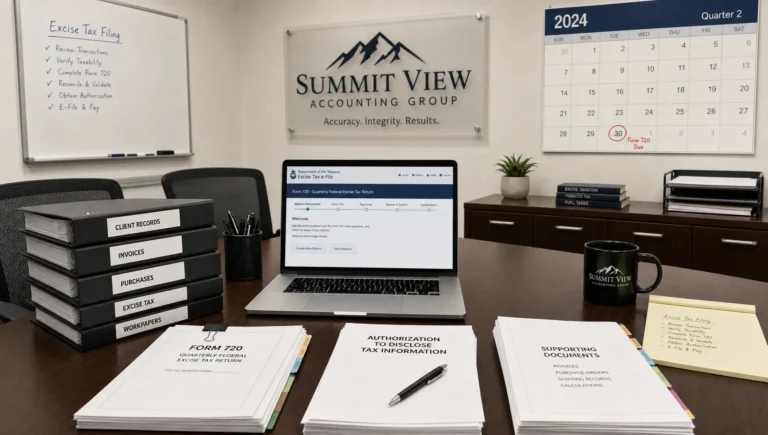
Filing taxes electronically is supposed to make compliance easier. But for many businesses, the real stress comes after you click “submit”: you need IRS confirmation that your return was actually received and accepted, especially when you are filing time-sensitive excise returns like Form 720.
This guide explains what “IRS confirmation” really means, what you can (and cannot) do for “free electronic tax filing,” and the practical steps to get an IRS acceptance acknowledgement you can rely on.
What “IRS confirmation” means for electronic tax filing
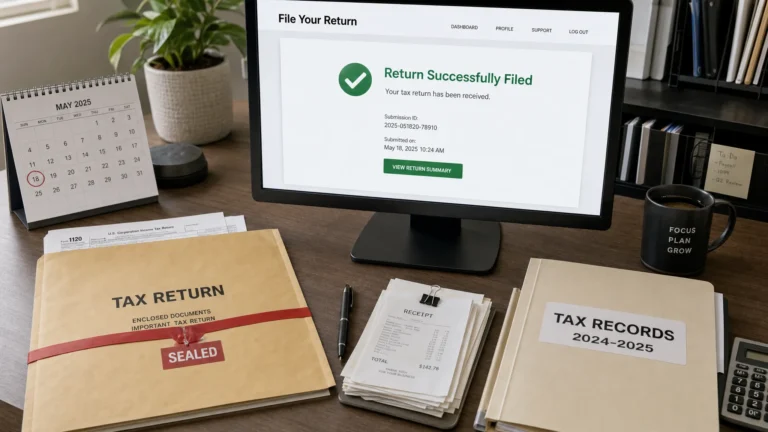
When people say they want “IRS confirmation,” they are usually asking for proof of timely filing. With electronic filing, that proof is typically an IRS acknowledgement that moves through a few distinct states.
Submission is not the same as acceptance
Most e-file systems show at least these milestones:
- Created/Ready: You have entered the return data, but nothing has been transmitted.
- Transmitted/Submitted: The return has been sent from the provider to the IRS system.
- Accepted: The IRS has processed the e-file submission and accepted it.
- Rejected: The IRS did not accept it due to an error (you usually can correct and resubmit).
For compliance purposes, the status you typically want to retain is Accepted, along with the associated timestamp and submission identifiers provided by your e-file system.
What you should expect to receive as confirmation
“IRS confirmation” is usually delivered as an electronic acknowledgement (often abbreviated as “ack”) containing information such as:
- Acceptance or rejection status
- Date and time of acceptance (or rejection)
- A submission or acknowledgement ID
Exact labels vary by provider, but the concept is the same: it is your evidence that the IRS accepted the electronic filing.
Is free electronic tax filing available for Form 720?
It depends what “free” means in your situation.
What is often free
Many IRS-authorized e-file providers offer free account creation and let you start preparing a return without downloading software. For example, eFileExcise720 offers free account creation and a web-based portal, so you can begin the process without installing anything.
What is usually not free
For business and excise returns, including Form 720, there generally is not a universal “file directly with the IRS for free” option like many taxpayers associate with individual returns.
If you want to confirm what programs exist for individual returns versus business filings, you can review the IRS e-file information on the official IRS website, including their overview of electronic filing.
Practical takeaway: you can often start the process for free, but getting a formal IRS acknowledgement typically requires filing through an IRS-authorized provider that transmits the return and relays the acceptance status back to you.
How to get IRS confirmation when you e-file (a practical workflow)
If your goal is an IRS acceptance you can document, focus on a workflow that produces a clean submission and preserves proof.
Use an IRS-authorized e-file provider
For Form 720 specifically, IRS authorization matters because the provider is connecting to IRS e-file systems and returning official acknowledgement statuses.
With an IRS-authorized provider like eFileExcise720, you e-file Form 720 online and then monitor your return’s status until you see an IRS response (accepted or rejected).
Prepare return data with “acknowledgement in mind”
Most IRS rejections are not random, they are triggered by data mismatches or missing required fields. Before transmitting:
- Confirm your legal business name matches IRS records (including punctuation and suffixes)
- Double-check your EIN
- Verify quarter and tax period selections
- Ensure the excise tax categories and schedules you’re reporting are consistent with your activity
If your business operates in areas that touch regulated activities like fuel, logistics, or communications, those internal records matter. Even companies that primarily sell physical assets and handle delivery logistics (for example, businesses dealing in storage and freight equipment like premium shipping containers) often benefit from tighter operational documentation because it reduces downstream compliance friction across tax filings.
Transmit early enough to handle a rejection
One of the biggest strategic mistakes is waiting until the due date and assuming “submitted” is good enough.
If the IRS rejects your filing, you may need time to correct the issue and retransmit. Submitting ahead of the deadline is often the difference between a calm fix and a late-filing scramble.
Watch for the IRS acknowledgement status and save it
After transmission, you should monitor the status until you receive an IRS response.

If your return is accepted, save confirmation in at least two places (for example, your compliance folder and your tax workpaper system).
How long does it take to get an IRS acknowledgement?
Acknowledgement timing can vary based on IRS processing volumes and system factors, but many filers receive acceptance or rejection feedback relatively quickly after transmission.
A good operational rule is to treat acknowledgement as something you actively monitor, not something you assume will arrive instantly. If you do not see an update after a reasonable window, check your email notifications (including spam folders) and your account dashboard.
If the IRS rejects your e-filed return, do this next
A rejection is common enough that you should treat it as a normal exception process, not a catastrophe.
Understand what a rejection means
An IRS rejection typically means “the IRS did not accept this electronic submission as filed.” It does not automatically mean you did something fraudulent or that you will be penalized.
It usually means a specific field failed validation, for example:
- EIN mismatch
- Name control mismatch
- Missing required schedule/attachment information
- Invalid tax period selection
Correct, retransmit, and keep both records
When you correct and retransmit:
- Save the rejection details (it helps document your timeline and corrective action)
- Save the new acceptance acknowledgement once accepted
If you are close to a deadline, the cleanest approach is often to fix the exact reject condition and retransmit as soon as possible.
What to save as proof (a simple IRS confirmation checklist)
If you ever need to prove timely filing, resolve a notice, or support an internal audit, you want more than a screenshot. Save a complete “filing packet.”
Here’s a practical summary of what to retain.
| Item to save | Why it matters | Where it usually comes from |
|---|---|---|
| IRS acceptance acknowledgement | Primary proof the IRS accepted the e-file submission | Your e-file provider dashboard/notifications |
| Submitted copy of Form 720 (PDF) | Shows exactly what was filed | Your e-file record download |
| Rejection notice (if any) | Documents what happened and how you corrected it | Your e-file provider status history |
| Payment confirmation (EFTPS or other approved method) | Acceptance does not always equal payment, this proves remittance | EFTPS receipt/confirmation number |
| Supporting workpapers | Helps defend figures if questioned later | Internal accounting/tax files |
Important nuance: IRS acceptance is not the same as IRS payment confirmation
For Form 720, your compliance posture usually has two separate proof threads:
- Filing proof: the IRS acceptance acknowledgement
- Payment proof: confirmation that your payment was initiated and settled correctly (often via EFTPS, depending on your situation)
It is possible to have an accepted return but still face issues if the payment was not made correctly or not made on time. Keeping both confirmations helps you respond quickly if the IRS sends a notice.
Troubleshooting: why you might not see IRS confirmation
If you are not receiving an acknowledgement status, common causes include:
- The return was created but never transmitted (still in a draft state)
- Notification emails are going to spam or an old email address
- The return is transmitted but you are checking too soon for the IRS response
- There is an account access issue, and you are not viewing the correct filing
If you are using a provider with dedicated support, reaching out with your filing details (tax period, EIN, submission date/time) can speed up resolution.
How eFileExcise720 helps you get IRS confirmation for Form 720
If you file Form 720 regularly, the easiest way to reduce “Did the IRS get it?” anxiety is to use an IRS-authorized e-file portal designed for excise returns.
eFileExcise720 is built for Form 720 filers who want a straightforward online process, including:
- IRS-authorized e-filing for Form 720
- Free account creation (no software download)
- Secure data handling
- Dashboard-based navigation to track submissions
- Personalized customer support
- Coverage for all Form 720 categories
- Support for Form 720 amendments (Form 720-X)
- Support for Form 8849 claims
Frequently Asked Questions
What is IRS confirmation for an e-filed return? IRS confirmation usually means an electronic acknowledgement showing the IRS received and accepted your return (often labeled “Accepted”), with a timestamp and submission identifiers.
Does “submitted” mean the IRS accepted my return? Not necessarily. “Submitted” typically means your provider transmitted the return. You want to wait for the IRS acknowledgement status, ideally “Accepted.”
Can I do free electronic tax filing for Form 720? You can often create an account for free and begin preparing online, but Form 720 e-filing usually requires using an IRS-authorized provider that may charge a filing fee.
How do I prove I filed Form 720 on time? Keep the IRS acceptance acknowledgement, a copy of the filed return, and any relevant transmission history. Also keep separate proof of payment (for example, an EFTPS confirmation).
What should I do if the IRS rejects my Form 720 e-file? Review the rejection reason, correct the specific issue (often EIN or business name mismatches or missing information), retransmit, and save both the rejection notice and the later acceptance.
Is IRS acceptance the same as paying my excise tax? No. Acceptance confirms filing. Payment confirmation is separate and should be saved independently.
File online and get your IRS acknowledgement with less guesswork
If your priority is fast, trackable proof of filing, electronic filing through an IRS-authorized provider is the most reliable path to an IRS acknowledgement you can save and reference later.
You can get started with eFileExcise720 by creating a free account and preparing your Form 720 online at eFileExcise720. When you file through an IRS-authorized portal, you can monitor your status, resolve rejects quickly if needed, and retain the acceptance confirmation for your records.
This article is for general informational purposes and is not tax advice.